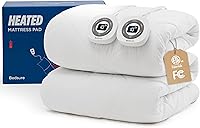
How to Choose a Heated Mattress Pad with Wi-Fi
A heated mattress pad with wifi is only worth buying if you need phone scheduling or voice control and your bedroom has a stable signal: otherwise a remote or button controller gives you the same heat with less setup. Compare control type, timer range, dual control, pocket depth and safety shut-off before you choose.
On this page (10 sections)
- Does a Heated Mattress Pad with Wi-Fi Need an App to Work?
- How Do Remote Controls Compare With App Controls?
- What Scheduling and Timer Settings Should You Look For?
- Which Connection Requirements Matter Most at Home?
- Is Dual Control More Useful Than Wi-Fi for Couples?
- How Safe Should a Heated Mattress Pad Be With Timers and Auto Shut-Off?
- What Size Coverage and Pocket Depth Should You Check?
- How Do You Set Up a Heated Pad Without Wifi Problems?
- What Care Routine Keeps a Heated Mattress Pad Working Well?
- Which Heated Pad Should You Pick for Your Control Style?
A heated mattress pad with wifi gives you phone control, but you still need the same basics that make any heated pad useful: consistent heat, a deep pocket, dual control for couples, and an auto shut-off you can trust. Wifi does not fix poor fit, weak heat, or a controller that is hard to use in the dark.
Start with how you actually use heat in bed. If you want to warm the bed from the couch or set a schedule, wifi or app control helps.
If you go to bed at the same time each night and like one setting, a simple controller with memory may be enough.
The three pads below do not advertise wifi or app control. They use wired controllers with preheat, memory and timer functions.
That makes them a useful comparison point: you can see what you gain with local controls and what you would need to add with a connected pad.
Does a Heated Mattress Pad with Wi-Fi Need an App to Work?
A wifi heated mattress pad may still need its controller connected to work, but many pads run heat and timers locally without an app.
Some connected pads pair once through an app and then run on the pad itself. Others keep the app in the loop for schedules, voice commands, or firmware updates.
That difference affects what happens when the wifi drops.
Local control is the safer default for night use. You should be able to raise or lower heat, turn the pad off, and read the setting without opening your phone.
The Reaks pad has lighted buttons, so you can see it in the dark. That matters more at 2 a.m. than a phone app does.
Our broader best heated mattress pad guide compares pads by heat settings, controls and fit. The pads here stay non-wifi, which keeps setup simple for most bedrooms.
What to check before you rely on wifi
Check the connection range and the power source first. A pad needs power from a standard wall outlet, and the controller cord has to reach the side of the bed.
Check whether an account is required. Some apps work as a guest, and some require sign-in for schedules and voice control.
Check the fallback. If the wifi goes down, can you still set heat, preheat and shut-off on the pad or controller?
If not, a non-wifi pad may fit your habits better.
Rule: choose wifi only if the pad still gives full local control when the connection drops.
How Do Remote Controls Compare With App Controls?
Remote and button controls are faster at night, while app controls are better for scheduling ahead of time.
A wired controller is predictable. You press a button, the heat changes, and you can see the level.
There is no password, update prompt, or signal delay.
App control wins on timing. You can set the bed to preheat before you leave work, or change a schedule when your bedtime shifts.
Wifi pads may also link to voice assistants.
The Bedsure King and Queen pads use dual controllers with 10 heating levels and 12 time settings. Reaks uses 12 heat settings from 87°F to 115°F, plus a memory controller.
Those counts are not directly comparable, because one counts levels and the other shows a temperature range.
Rule: pick app control for schedules, and keep a physical controller for night-time changes.
What Scheduling and Timer Settings Should You Look For?
Scheduling should warm the bed before you get in and shut the heat off without you staying awake to do it.
Preheat is the most useful scheduling feature for a heated mattress pad with wifi. It warms the bed while you shower, read, or travel home.
Then you can drop to a lower level or turn the heat off once you are in bed.
Bedsure describes a preheat function that tracks changes in body temperature. It also describes a memory function that restores your last heating level.
Those two features often do the job that a full app schedule does.
Reaks describes a preheat mode that reaches your selected temperature faster, plus memory control with a 1 to 12 hour auto shut-off. That timer range lets you warm the bed and let the pad stop on its own.
Bedsure time settings are described as 12 time settings, with an 8-hour default auto shut-off. That phrasing is different from a 1 to 12 hour timer, so compare the exact timer wording before you assume the two systems work the same way.
For guidance on daily use, see how to use a heated mattress pad.
Timer choices for different sleep habits
If you fall asleep fast and wake warm, use preheat plus a short timer. You get a warm bed at lights-out without all-night heat.
If you get cold in the second half of the night, choose a longer timer or a lower level with memory. The pad then returns to that level without a fresh setup.
If two people keep different hours, dual timers or dual controllers matter. One side can preheat early, while the other side starts later.
Rule: choose the pad whose timer matches your wake-up pattern, not the longest timer on paper.
Which Connection Requirements Matter Most at Home?
Connection needs are simple for a non-wifi pad and stricter for a wifi pad: power, cord reach, signal strength and app support.
All three pads here run from a standard 120V AC wall outlet at 60Hz. Bedsure specifies dual 100W controllers.
Reaks includes two power cords and controller cords of 6 feet for power and 13 feet for the controller.
Cord length changes where the pad can sit. A short controller cord may not reach the nightstand if the outlet is on the far side of the bed.
Long cords give you more placement choices, but they also need routing so they do not cross the walkway.
For a wifi pad, signal strength in the bedroom is the next check. Thick walls, a router in another room, or a metal headboard can weaken the connection.
App support is the last check. Confirm the app works with your phone system, whether an account is required, and whether schedules store on the pad or in the cloud.
Rule: confirm outlet placement, cord reach and bedroom signal before you choose wifi control.
Is Dual Control More Useful Than Wi-Fi for Couples?
Dual control is more useful than wifi for couples, because it lets each side run at its own temperature.
A single-control pad forces a compromise. One person is too warm, the other is still cold, and the setting changes all night.
Dual control ends that loop by giving each side its own controller and heat level.
All three pads in this guide have dual control. The Bedsure King and Queen pads each include two controllers.
The Reaks King pad also has two controllers and two plugs, with independent settings for each side.
A heated mattress pad with zones takes this idea further. If you want that design, read our heated mattress pad with zones guide before you compare app features.
For tight spaces, a small heated mattress pad may fit better than a full dual-control model.
When dual control is worth the extra cords
Dual control adds a second controller and a second plug. That is worth it if you share the bed with someone who runs hot or cold.
It may be less important if you sleep alone or always agree on one temperature. In that case, a simpler single control can be easier to store.
Check cord routing before you order. Two controllers need two reachable outlets or a safe power strip placement.
Rule: put dual control ahead of wifi on your list if you share the bed.
How Safe Should a Heated Mattress Pad Be With Timers and Auto Shut-Off?
Safety comes from auto shut-off, overheating protection and recognized certifications, not from the app.
Bedsure describes 74 safety tests in its Intertek-Recognized Satellite Lab, with standards it says surpass UL. It also describes ETL and FCC certification and a default 8-hour auto shut-off.
Those details should be checked against the pad's own documentation before you rely on overnight use.
Reaks describes built-in overheating protection plus ETL and FCC compliance. It also offers a 1 to 12 hour auto shut-off timer.
For any heated pad, keep the pad flat and uncreased. Do not fold it while it is on, and do not place it under a thick topper that traps heat.
Follow the care instructions for washing, and let the pad dry fully before you use it again.
Keep extra blankets off the pad when you run high heat. A pad is meant to warm the bed under you, not to heat a heavy stack of bedding on top of you.
Rule: choose a pad with a clear auto shut-off and certifications, whatever control type you pick.
What Size Coverage and Pocket Depth Should You Check?
Size coverage tells you how much of the bed gets heat, and pocket depth tells you whether the pad stays in place.
The Bedsure King pad measures 78 x 80 inches. The Bedsure Queen pad measures 60 x 80 inches.
The Reaks King pad also measures 78 x 80 inches. Those sizes match their named bed sizes, but you should still measure your mattress.
Pocket depth matters on thick mattresses. Bedsure describes a deep pocket that stretches up to 18 inches, with an all-around elastic band.
That helps the pad stay on during the night.
The Reaks pad does not state a pocket depth in its specs. If your mattress is thick or has a topper, check the fit before you order.
If your bed is a twin, a full-size pad may be too large. Our best heated mattress pad for twin bed guide covers smaller options.
A mattress topper comparison can help if you plan to add thickness above the pad.
Heating coverage for couples and solo sleepers
For couples, check whether heat covers both sides or only the center. Dual-zone pads cover each side, while single-zone pads may leave the edges cooler.
For solo sleepers, a smaller pad can be easier to wash and store. It also uses less fabric and may warm faster at the same setting.
Check the pad's shape in the box. Quilted pads hold their shape better than thin pads, and the Bedsure pads are described as premium quilted.
Rule: measure your mattress and match pocket depth to its thickness before you compare apps.
How Do You Set Up a Heated Pad Without Wifi Problems?
Set up the pad, route the cords and test heat, preheat and shut-off before your first night.
Start with the mattress bare. Pull the pad's pocket over the mattress corners and smooth the top so no folds cross the heating area.
Place the controllers within easy reach of both sides of the bed. Route power cords down the side of the bed, not across the floor where you walk at night.
Keep plugs clear of bedding.
Test each side on a medium setting for a few minutes. Feel for even warmth and check that the controller reads correctly.
Then test preheat and the timer. Confirm the pad shuts off at the time you set.
For a wifi pad, pair the app while you are standing by the bed. Check the signal strength in the bedroom, not just near the router.
Set one schedule, then confirm the pad runs it without your phone nearby.
For step-by-step nightly use, see how to use a heated mattress pad.
If you use a natural fiber topper instead, our organic wool mattress topper guide explains a non-electric warmth option.
Rule: test heat, preheat, timer and wifi pairing during the day, not at bedtime.
What Care Routine Keeps a Heated Mattress Pad Working Well?
Care keeps a heated pad safe and even: wash it gently, dry it fully and store it flat.
Bedsure describes machine washable care with mild soap and cold water on a slow cycle for 2 minutes. Reaks describes its pad as machine washable.
Both brands also describe brushed fabric and polyester construction, so gentle care protects the surface and the heating wires.
Wash the pad alone when you can. Other items can snag cords or strain seams during the cycle.
After washing, dry the pad fully before you put it back on the bed.
Do not iron the pad or use high heat to dry it. Store the pad flat or loosely rolled in a dry place, with cords not kinked.
Check the pad each season for worn fabric, loose seams or damaged cords. If a cord is frayed or a controller stops responding, stop using the pad and contact the brand.
Do not try to repair electrical parts yourself.
A heated pad is not a replacement for a fitted sheet. Wash your sheets on their own schedule, and keep the pad clean by washing it when the care label allows.
Rule: wash gently, dry fully, store flat and stop use if cords or controls are damaged.
Which Heated Pad Should You Pick for Your Control Style?
Pick the pad by control style first, then by size and timer.
If you want the simplest local control with strong safety details, the Bedsure King pad is a solid starting point. It has dual controllers, 10 heat levels, 12 time settings, preheat and memory, plus a deep pocket that stretches to 18 inches.
Its 78 x 80 inch size fits a king mattress.
If you have a queen bed, the Bedsure Queen pad gives you the same control set in a 60 x 80 inch size. It also has dual controllers, preheat, memory and the same deep pocket design.
If you want a wider temperature range and a longer timer choice, the Reaks King pad offers 12 settings from 87°F to 115°F, lighted buttons, memory control and a 1 to 12 hour shut-off. It also has dual controllers and a 78 x 80 inch size, plus longer controller cords.
If you truly need phone scheduling, look for a wifi pad that keeps full local control, dual control and a clear auto shut-off. Do not trade those basics for an app.
For smaller beds, check the small heated mattress pad guide and the best heated mattress pad for twin bed guide before you size up.
Final rule: choose dual control and a trusted shut-off first, then add wifi scheduling only if it does not remove local control.
Frequently asked questions
Do I need wifi for a heated mattress pad to work?
No, most heated mattress pads work without wifi through onboard buttons or a wired controller. Wifi adds phone control and scheduling, but heat, timers and memory settings often run locally.
Check whether the pad needs an app or account before you buy, and confirm your bedroom signal is strong enough.
Can wifi scheduling save electricity on a heated mattress pad?
Scheduling can help by warming the bed before you get in and shutting off on a timer, so you run less heat overnight. It does not change the pad's power use per hour.
The Bedsure pads use dual 100W controllers, and the Reaks pad lets you choose a 1 to 12 hour shut-off.
Is a heated mattress pad with wifi safe to leave on a timer?
Look for an automatic shut-off and recognized certifications such as ETL and FCC. Bedsure describes an 8-hour default auto shut-off, while Reaks offers a 1 to 12 hour timer and overheating protection.
A timer does not replace the need to follow care instructions and avoid folding the pad while it is on.
Should couples choose dual control or wifi control?
Dual control matters more than wifi for most couples, because each side can run at a different temperature. All three pads in this guide have dual controllers.
Wifi or app scheduling is a bonus for preheating, but independent side-by-side control solves the bigger nightly comfort problem.